 runnrr
Follow up with a prospective client
Keep the request, meeting details and next response together while you work towards a decision.
Keep client requests, partner conversations and meeting promises moving. Runnrr brings the next steps and their context together on your Mac.
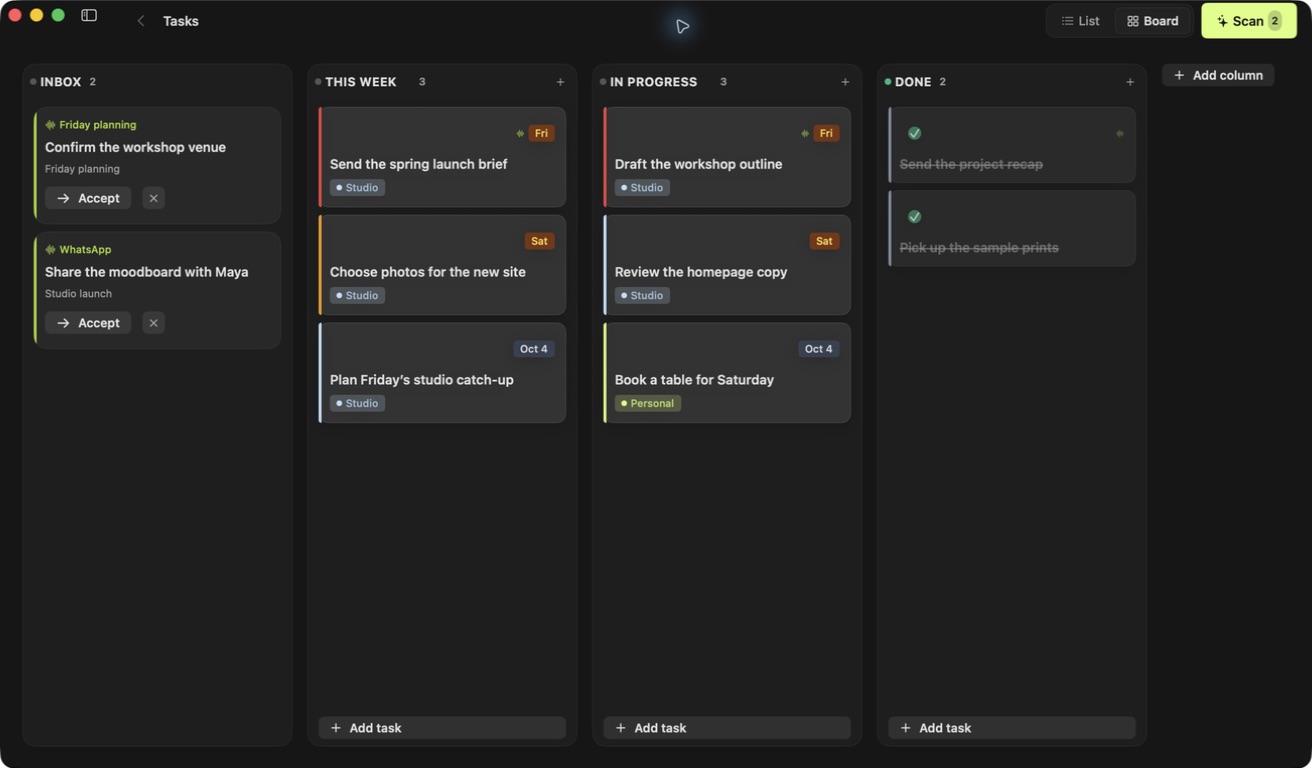
Running a small company often means the next task arrives in a conversation. A client needs an answer, a partner wants a proposal, or a meeting leaves you with something to send. Runnrr helps you bring that work onto your personal board.
Open a task with the background close by. Prepare a reply, connect the work to a goal and keep the useful details for the next conversation.
Keep the request, meeting details and next response together while you work towards a decision.
Pick up a question with the relevant background, including what changed since your last conversation.
See how smaller follow-ups contribute to winning a client, launching a service or delivering a project.
Bring in the conversations
Connect WhatsApp or Granola and choose the conversations you want to scan.
Review your next steps
Accept the useful suggestions, add your own tasks and link them to the goals they support.
Prepare the response
Use Draft reply on an accepted conversation task. Review the result and send it yourself.
Runnrr currently provides a personal board on your Mac. It is useful for the work you own within a small company; shared team boards are not available.
No. Scanning, reply drafting and goal suggestions work inside Runnrr. Optional Claude Code and Codex connections use your own accounts.
Runnrr suggests tasks and prepares drafts. You decide which tasks to accept and which messages to send.
Keep the work from client chats and meetings moving, with the details close to hand.
macOS 14+