
Skip to content

Bring your business conversations into the day’s work.

Find the promises and requests in WhatsApp and Granola. Keep the next steps on your board, ready for a thoughtful follow-up.

Client workshop call

Granola · Meeting notes

“I’ll send the revised workshop quote to Maya before Friday.”

A suggestion for you to review

Send the revised workshop quote

This week Source attached

Fictional example

WhatsApp

Catch the requests and promises tucked into your chats. Choose which conversations to scan, review the suggestions, and keep the supporting messages with each task.

“Can you send the workshop proposal before Friday?”

Becomes a suggestion you can review

Send the workshop proposal

Fictional example

Requires WhatsApp for Mac and permission to read its locally available messages. Only available message history can be scanned.
Granola

Give your meeting notes a next step. Scan recent Granola meetings for commitments and follow-ups, then accept the useful ones onto your board with the source attached.

“I’ll send the revised workshop quote to Maya.”

Becomes a suggestion you can review

Send the revised workshop quote

Fictional example

Requires a Granola connection and runnrr sign-in. Meeting scanning uses online services.

Keep control of what becomes a task.

  1. 01

    Connect a source

    Choose the tools and conversations you want runnrr to work with.

  2. 02

    Review the suggestions

    Read the task and the supporting context. Keep what matters, dismiss the rest.

  3. 03

    Make it part of your day

    Move an accepted task onto your board and pick up the work when you’re ready.

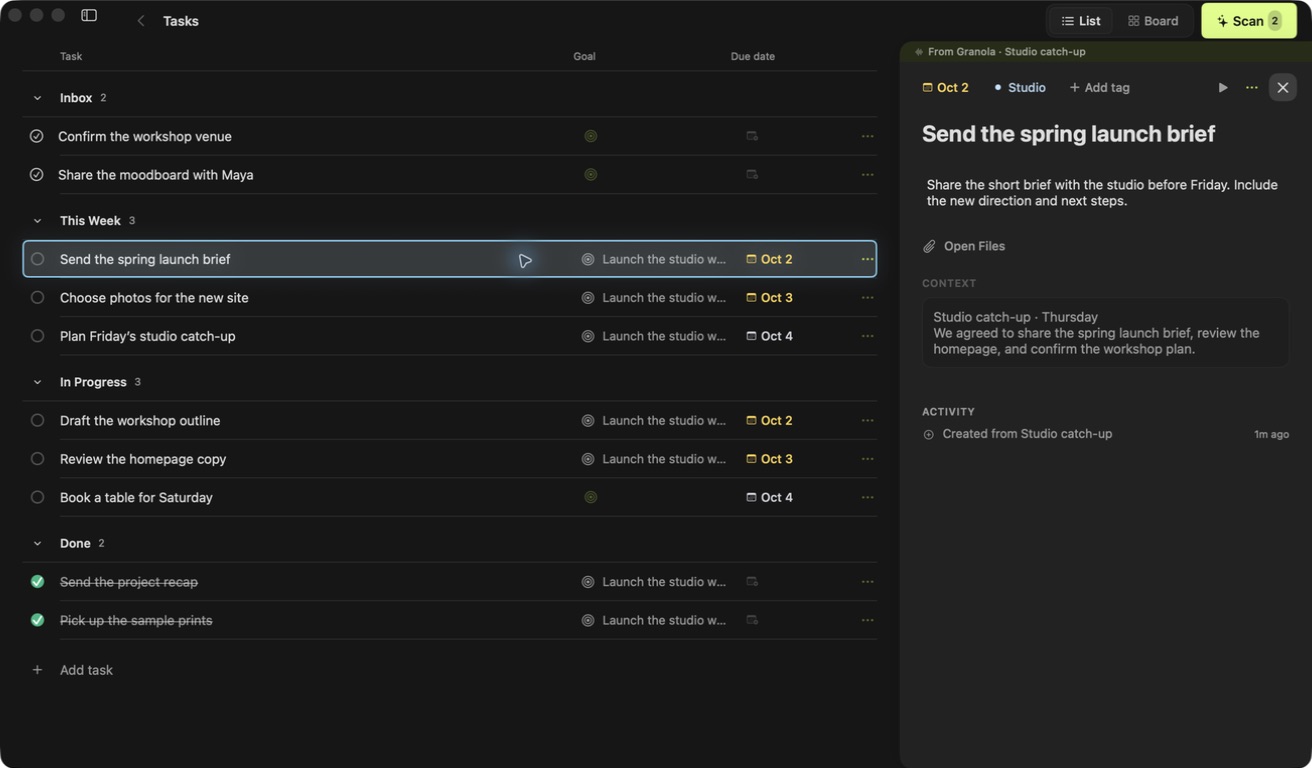
A fictional task in the runnrr Mac app with its supporting files and conversation open
Fictional demo content.

Prepare the reply while the context is close.

Open an accepted task and prepare a reply from the conversation, relevant meeting details and what you know about the client. Review and edit it before copying it into your chat. No separate AI subscription is required.

Choose the information you bring in.

Your board stays local. Scanning and drafting send relevant messages, meeting text and supporting information to online AI. Public sharing uploads only the content you choose to share.

Questions before you start?

Will suggestions be added without me reviewing them?

Scans surface suggested tasks for you to review. You decide which suggestions become tasks on your working board.

Can I still add tasks myself?

Yes. Add your own tasks, organise your board and keep useful information alongside the suggestions from your connected conversations.

Can I connect other tools?

WhatsApp and Granola bring conversations into Runnrr. You can also add your own written information to the Knowledge Base. Claude Code and Codex are optional connections for other kinds of work.

Bring your next follow-up into Runnrr.

Free · macOS 14+