 runnrr
Consulting and advisory work
Pick up a client question with the meeting decisions and relevant notes close by. Review a prepared reply before sending your answer.
For consultants, agencies and client-facing specialists. Runnrr finds follow-ups from conversations, prepares replies and keeps client context close on your Mac.
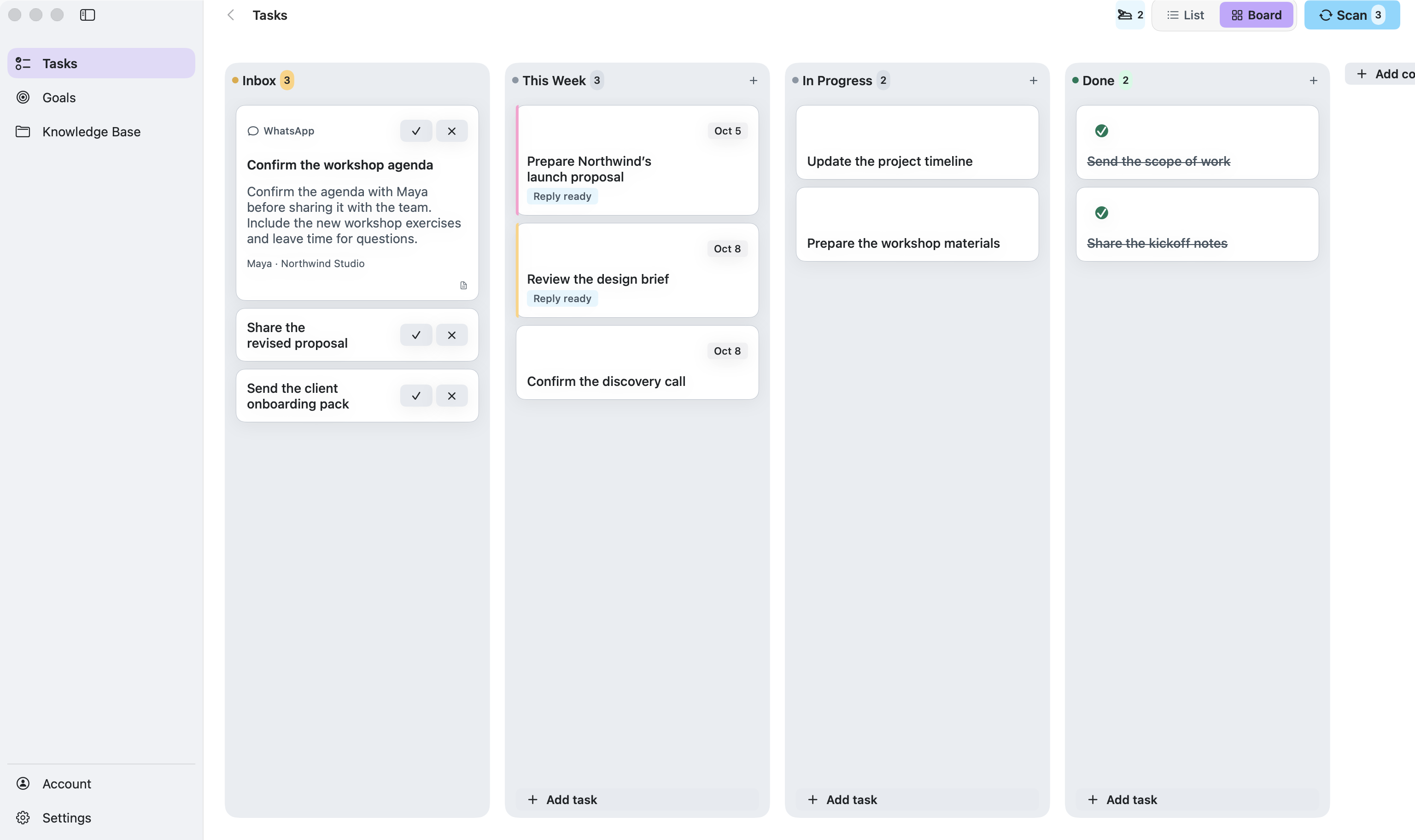
Client work keeps moving between meetings: a revised brief, a pricing question, a promise to send a proposal. Runnrr brings those next steps together. Bop, your AI coworker, prepares replies and task-update suggestions so you can review the work and move it forward.
Connect WhatsApp or Granola, review the suggested tasks, and keep useful client knowledge alongside them. Bop uses the relevant background when preparing a reply. You decide what to accept, change and send.
Pick up a client question with the meeting decisions and relevant notes close by. Review a prepared reply before sending your answer.
Keep revised briefs, approvals and delivery follow-ups from getting lost in chat. Review suggested task updates when a date or commitment changes.
Give each request a place on your personal board, with the context needed to follow through. Link related work to a client or business goal.
Connect your conversations
Sign in and connect WhatsApp or Granola. Choose the conversations you want to scan for requests and commitments.
Review the Inbox
Expand one suggestion at a time. Accept or dismiss it from the card, or open the original conversation before deciding.
Pick up Bop’s prepared work
After scans, review reply drafts and proposed task updates. Edit the wording, apply the changes you want and send replies yourself.
No. Bop prepares drafts and suggestions. You review the work and decide what gets sent or changed.
Runnrr currently provides a personal board on your Mac. Use it for the client work you own. Shared team boards and a mobile app are not available.
Yes. Bop is enabled by default and can be turned off from its button in the app. Existing opt-outs are preserved when you upgrade.
Your board and saved files are local. Scanning and Bop’s drafting and task analysis send relevant information through Runnrr to online AI services. The privacy page explains the data used by each feature.
Keep the work from client chats and meetings moving, with the details close to hand.
macOS 14+