 runnrr
Get the client reply written
Runnrr uses the conversation and relevant client knowledge to write the answer. Review it and send it when it is ready.
Get work done from the conversations behind your tasks. Runnrr writes responses, prepares date and status updates and runs recurring project routines.
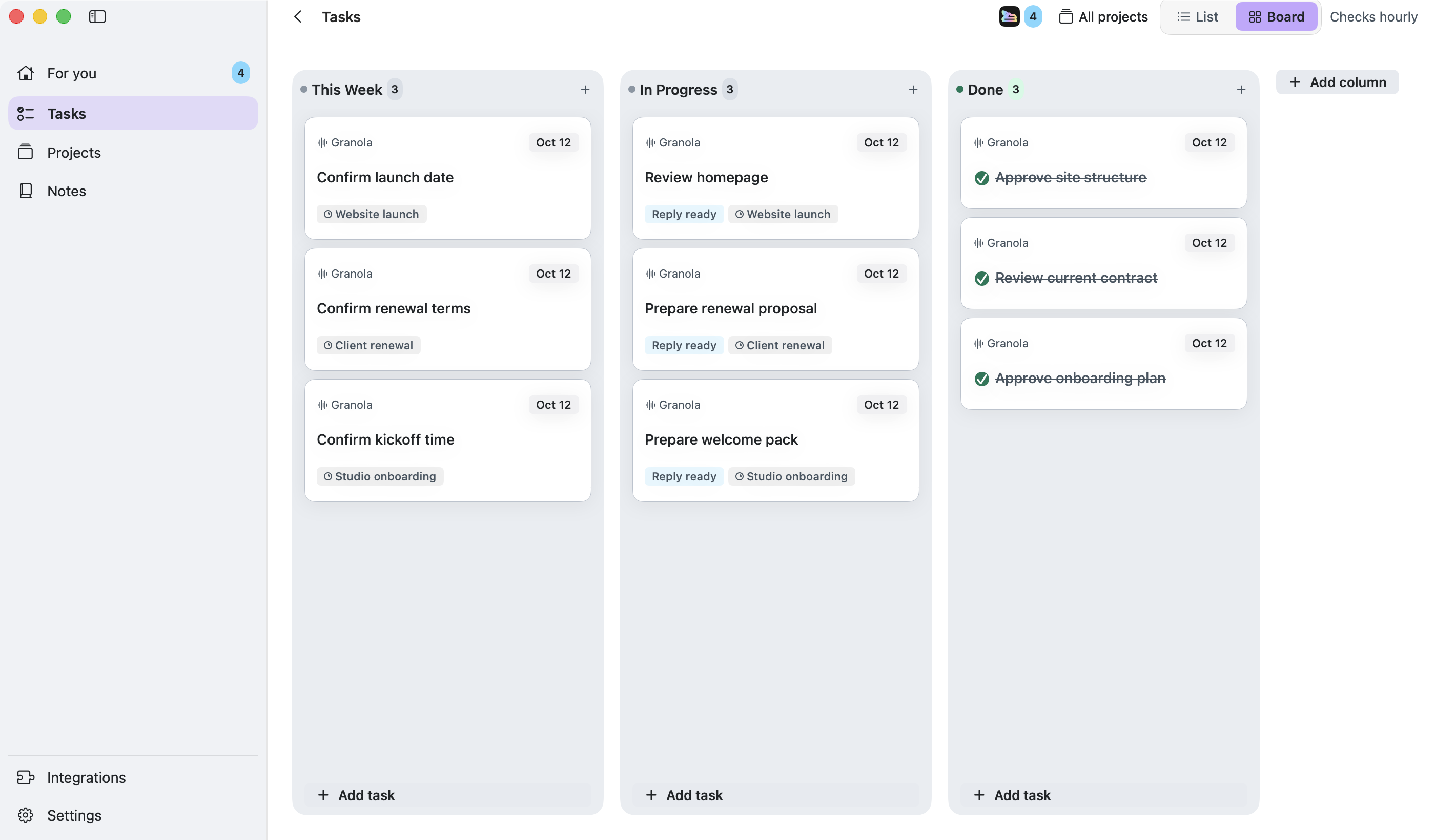
Client questions, partner requests and meeting commitments create work throughout the day. Runnrr takes on the writing and preparation: a reply to the client, a brief for the next call or a weekly project update.
Connect the conversations and link the project context. Runnrr writes replies after scans; enabled project routines produce briefs and updates with their sources available for review.
Runnrr uses the conversation and relevant client knowledge to write the answer. Review it and send it when it is ready.
Enable meeting preparation for a project so Runnrr can build a brief from its linked context and connected calendar.
Apply reviewed date and completion updates as conversations change. Enable weekly routines for a written account of progress and open work.
Connect the work
Connect WhatsApp or Granola during setup and add email or Slack from Integrations.
Give Runnrr the context
Accept the tasks you own and link the relevant brief, notes and conversations to a project.
Use the work it produces
Review replies in For you and enable the project routines you need. Check the result, use it and close the task when its required action is complete.
Runnrr currently provides a personal board on your Mac. It is useful for the work you own within a small company; shared team boards are not available.
No. Scanning, reply drafting and project chat work inside Runnrr. Optional Claude Code and Codex connections use your own accounts.
Runnrr suggests tasks and prepares drafts. You decide which tasks to accept and which messages to send.
Start with one connected conversation. Give Runnrr the context already there and review the work it produces.
macOS 14+
 WhatsApp
 Granola
 Slack
Slack Claude Code
 Codex
Codex