 runnrr
 WhatsApp
 Granola
 Gmail
Gmail Outlook
 Slack
SlackAnswer client questions
Get a reply written from the conversation, meeting decisions and saved client knowledge. Review the wording and send your answer.
Get client work done from your conversations. Runnrr writes responses, prepares task updates and runs recurring routines for your projects.
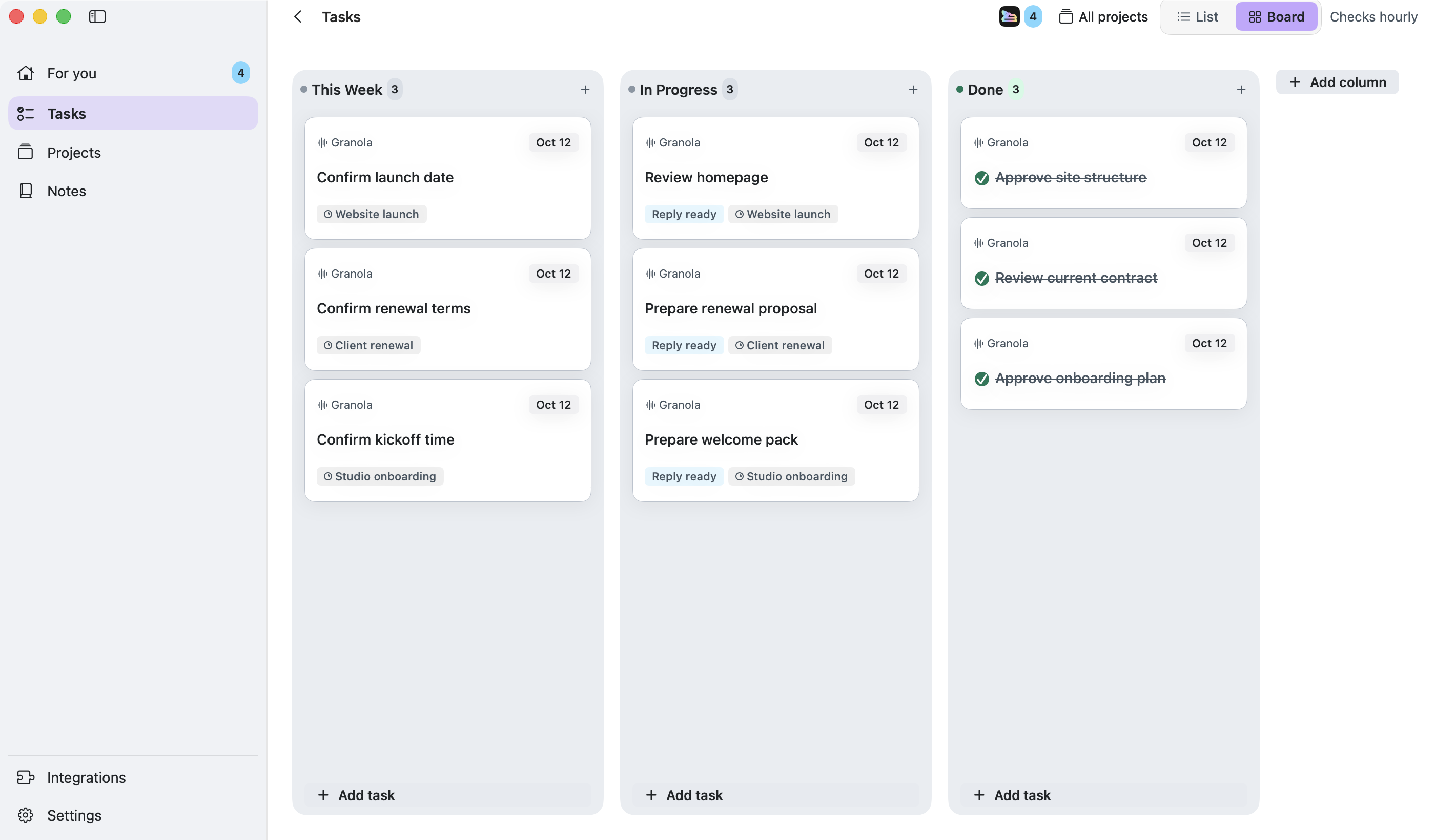
A revised brief, a pricing question or a promise made on a call creates work you still have to do. Runnrr writes the response and uses project context to produce meeting briefs and updates, so you can pick up work ready to review.
Requests from WhatsApp, Granola, Gmail, Outlook and Slack supply the context. Replies are written after scans; enable project routines for meeting briefs, follow-ups and weekly updates.
Get a reply written from the conversation, meeting decisions and saved client knowledge. Review the wording and send your answer.
Give Runnrr the project brief and linked conversations. Meeting routines use that context and connected calendar events to produce a brief.
Let a project routine draft the weekly update from its tasks and linked evidence. Review progress, open questions and the next steps before sharing it.
Connect the conversations
Start with WhatsApp or Granola, then add Gmail, Outlook or Slack from Integrations.
Accept and brief the work
Choose the tasks you own and link the client brief and relevant sources to their project.
Pick up the result
Review written replies and enabled routine outputs in For you. Edit or use the work, then mark the task complete after the required action.
No. Runnrr prepares drafts and suggestions. You review the work and decide what gets sent or changed.
Runnrr currently provides a personal board on your Mac. Use it for the client work you own. Shared team boards and a mobile app are not available.
Yes. Runnrr is enabled by default and can be turned off from its button in the app. Existing opt-outs are preserved when you upgrade.
Your board and saved files are local. Scanning and Runnrr’s drafting and task analysis send relevant information through Runnrr to online AI services. The privacy page explains the data used by each feature.
Start with one connected conversation. Give Runnrr the context already there and review the work it produces.
macOS 14+