 runnrr
 Granola
Get the follow-up written
Runnrr writes from the meeting context so you can review a response without copying the transcript into another AI chat.
Turn meeting commitments into work Runnrr can do: written follow-ups, project updates and briefs for the next call.
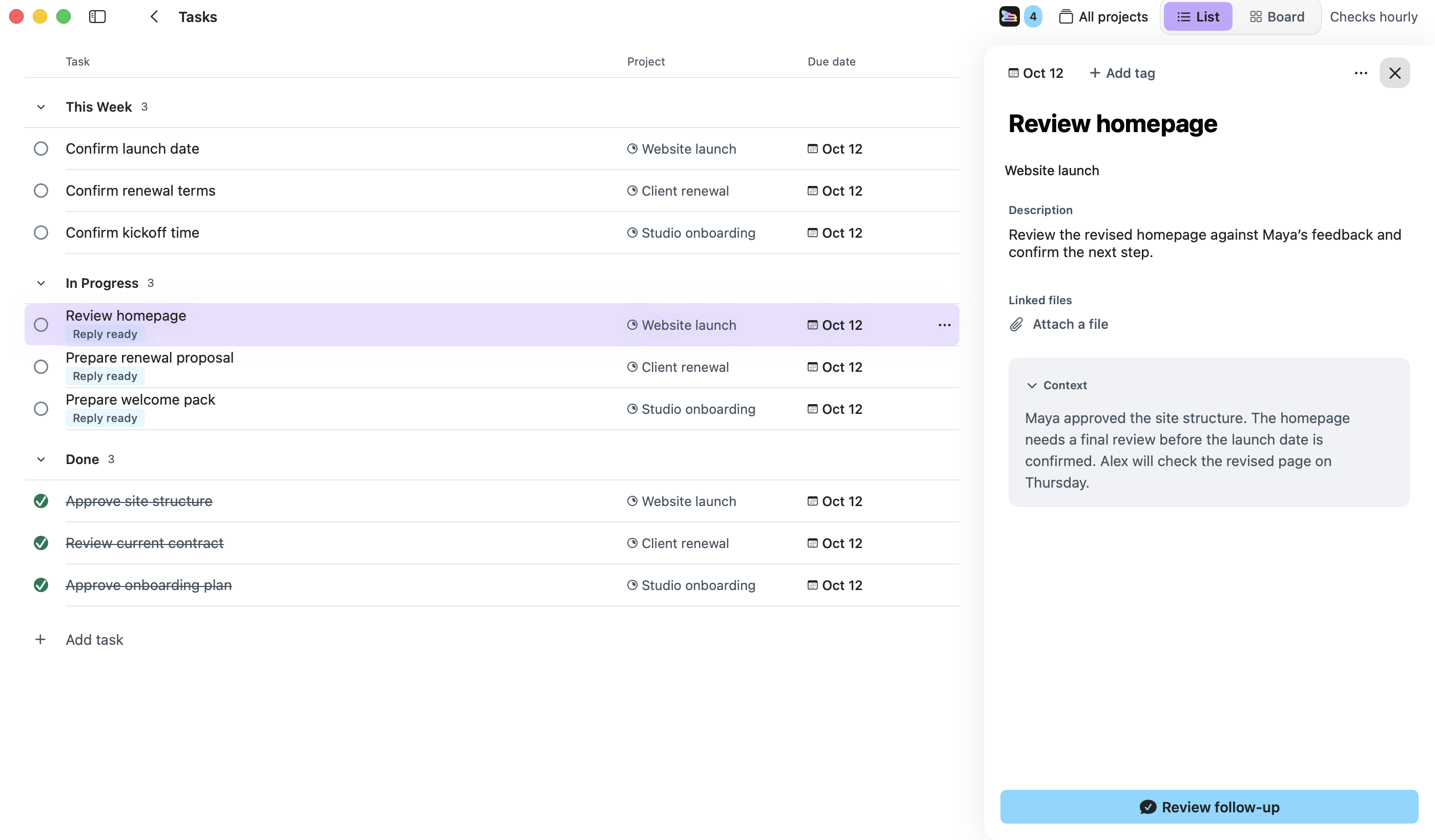
The work starts when the meeting ends. Runnrr finds the commitments in your connected Granola meetings, keeps what was agreed with each task and writes the follow-up from that context.
Accept the tasks you own, then use the written follow-up or link the meeting to a project. Enabled project routines can use that context in the next meeting brief and weekly update.
Runnrr writes from the meeting context so you can review a response without copying the transcript into another AI chat.
Link the meeting to a project. Its decisions can inform written updates and briefs produced by enabled routines.
When a meeting creates research or coding work, use an optional Claude Code or Codex connection to run the task with its supporting context.
Connect Granola
Connect the account containing your meetings.
Choose the commitments you own
Scan the meetings and accept useful tasks after checking what was agreed.
Have Runnrr work from the meeting
Review the written follow-up, link the project or run a development task with a connected agent. Check the output before using it.
Runnrr works with meetings from your connected Granola account. Use Granola to record and prepare the meeting information.
No. Scanning, reply drafting and project chat work inside Runnrr. Optional Claude Code and Codex connections use your own accounts.
Scans create suggestions. You decide which ones become tasks on your working board.
Start with one connected conversation. Give Runnrr the context already there and review the work it produces.
macOS 14+
 Claude Code
 Codex
Codex WhatsApp